

Getting Started
Login to Zoho and navigate to Settings in the top right of the screen.
Step 1
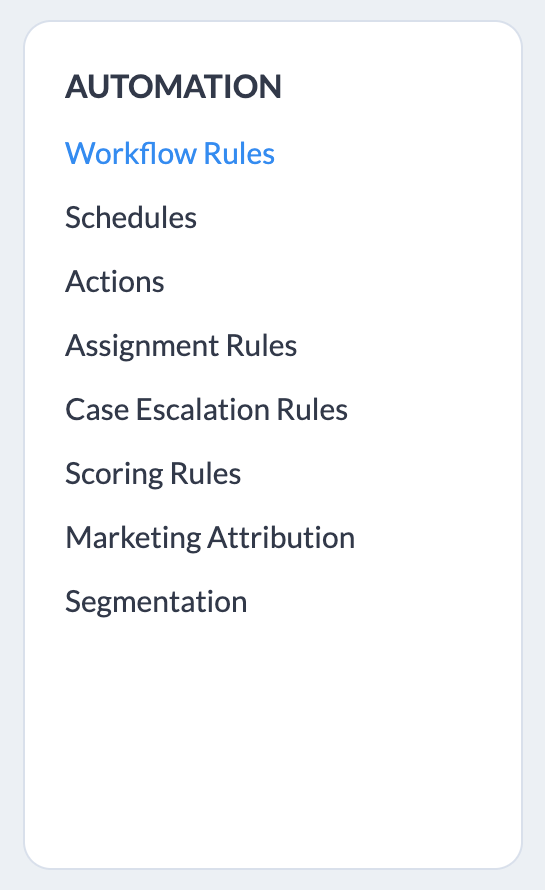
Under Automation select "Workflow Rules".
Step 2
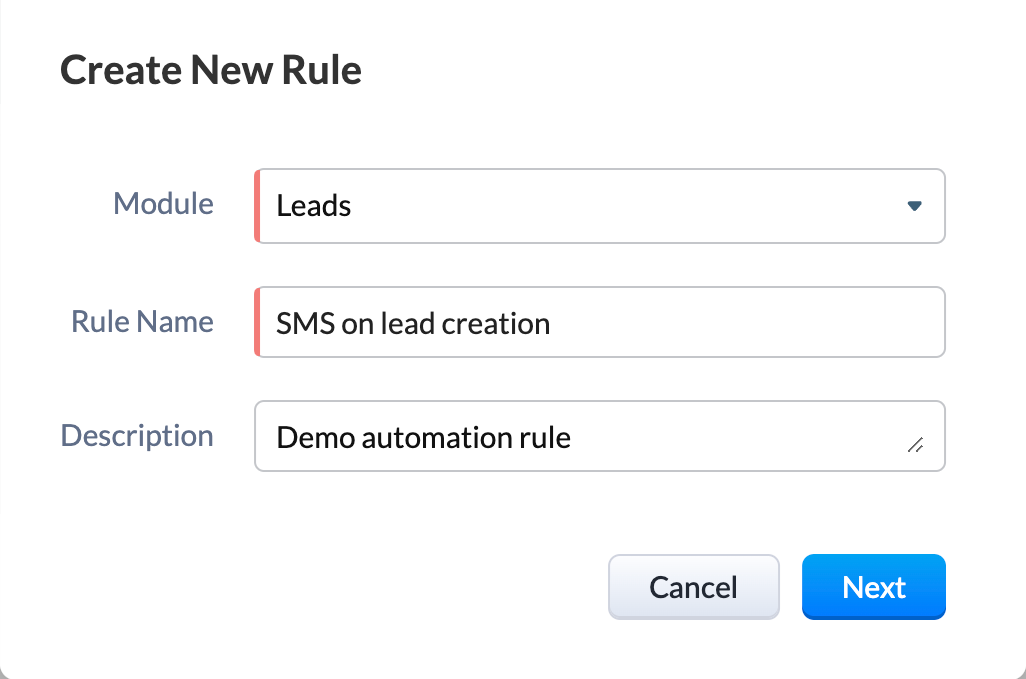
Click "+ Create rule" and select either the Leads or Contacts module. Give it a meaningful title and description.
Step 3
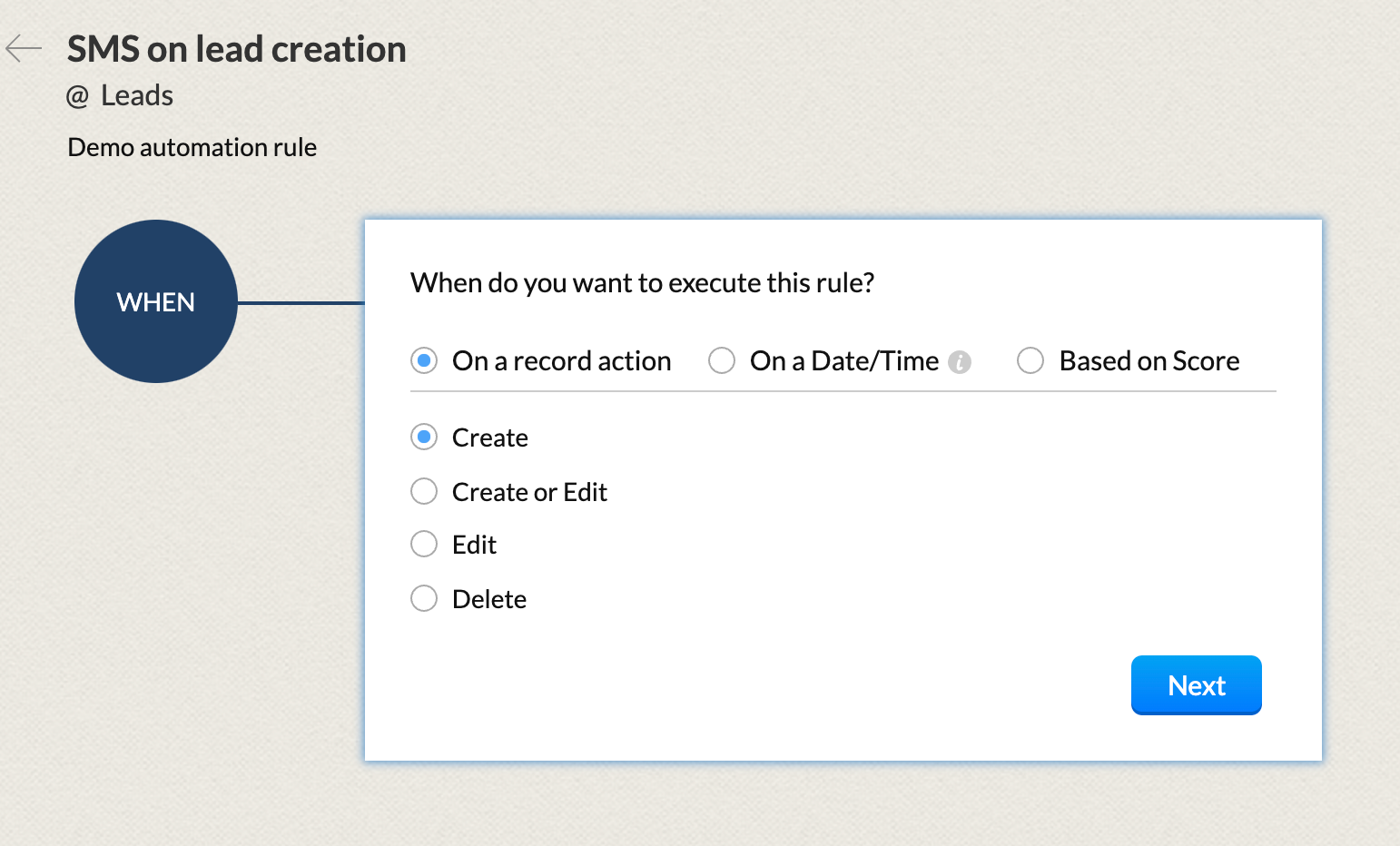
Set a trigger. In this case on Create.
Step 4
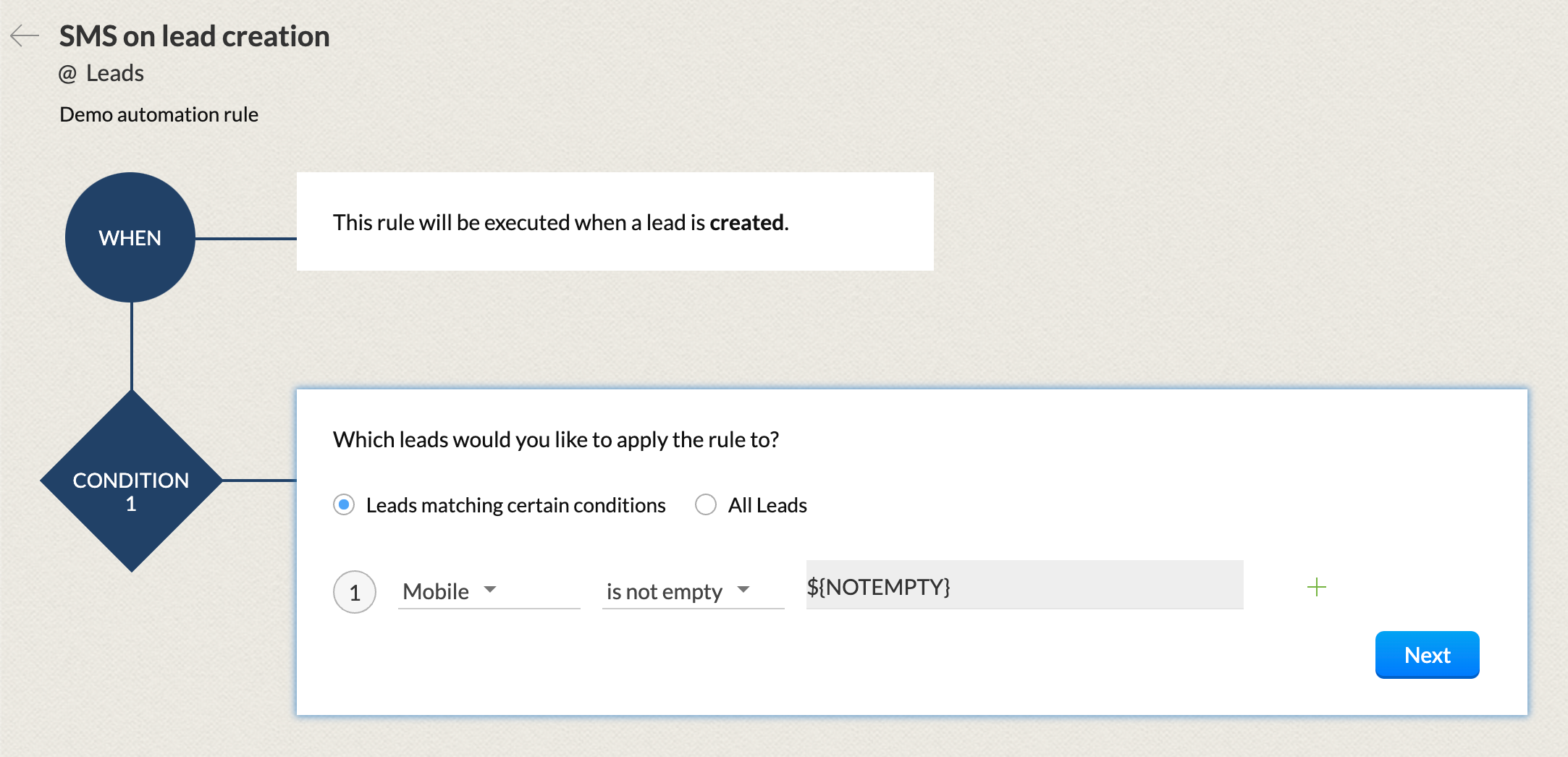
Set one or more conditions. Here we will add a check to ensure the mobile number is not null or empty.
Step 5
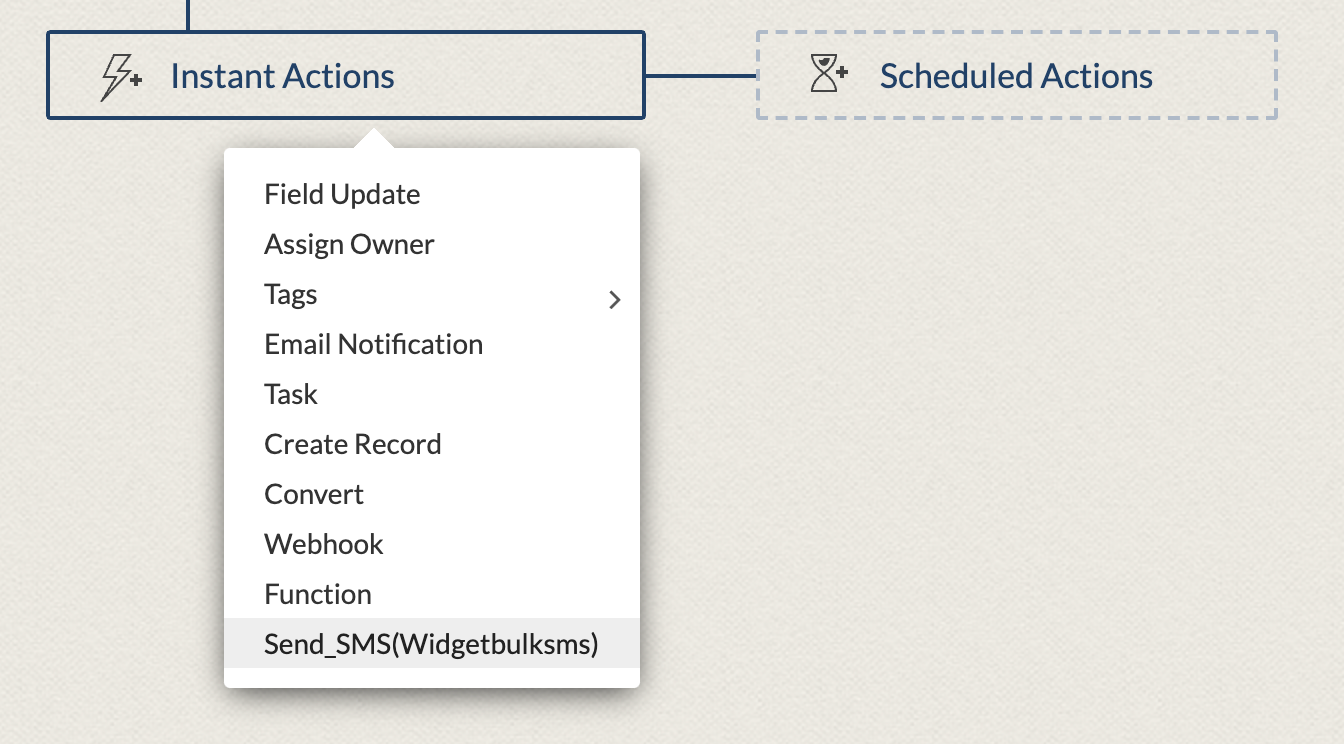
Select an Action. You can find the custom action "Send_SMS(widgetbulksms)" at the bottom of the list.
Step 6
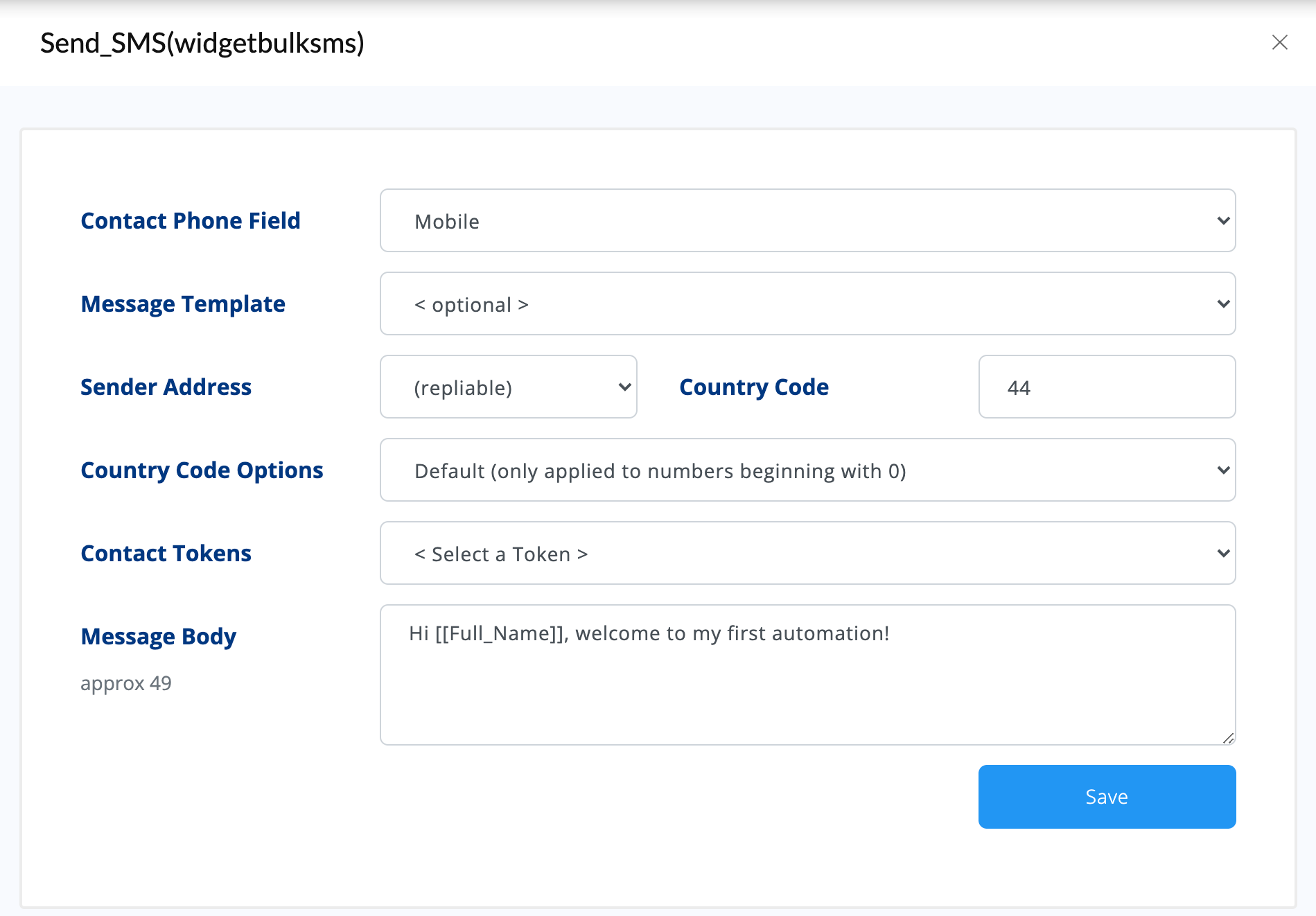
Setup your automated message using tokens for customizaton.
Step 7
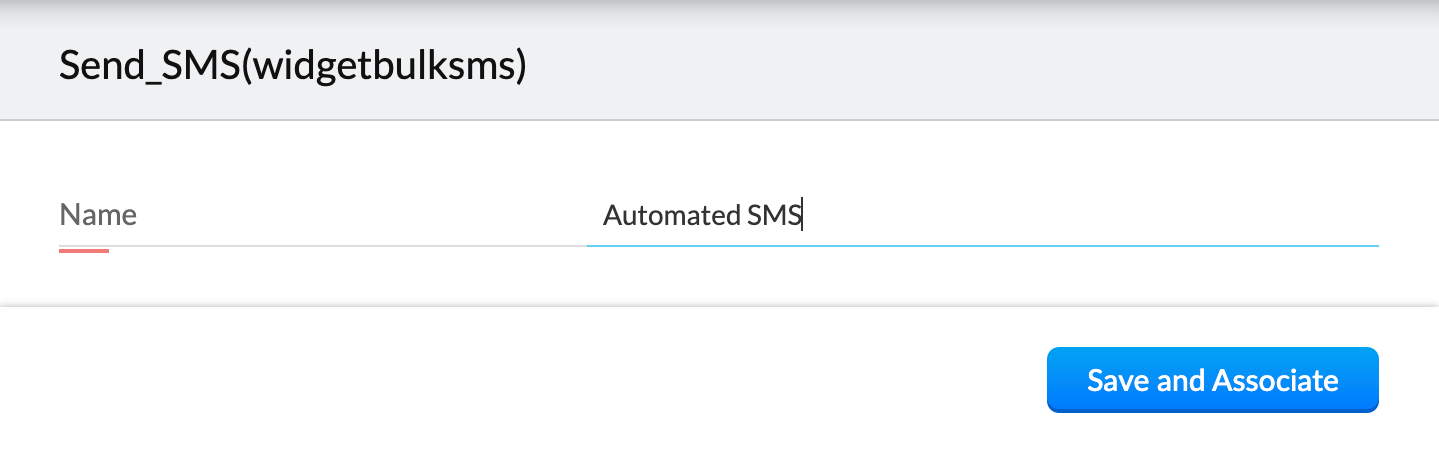
Once complete click save give the custom action a title.
Step 8
Once complete it should look like this. Click save and you're done!
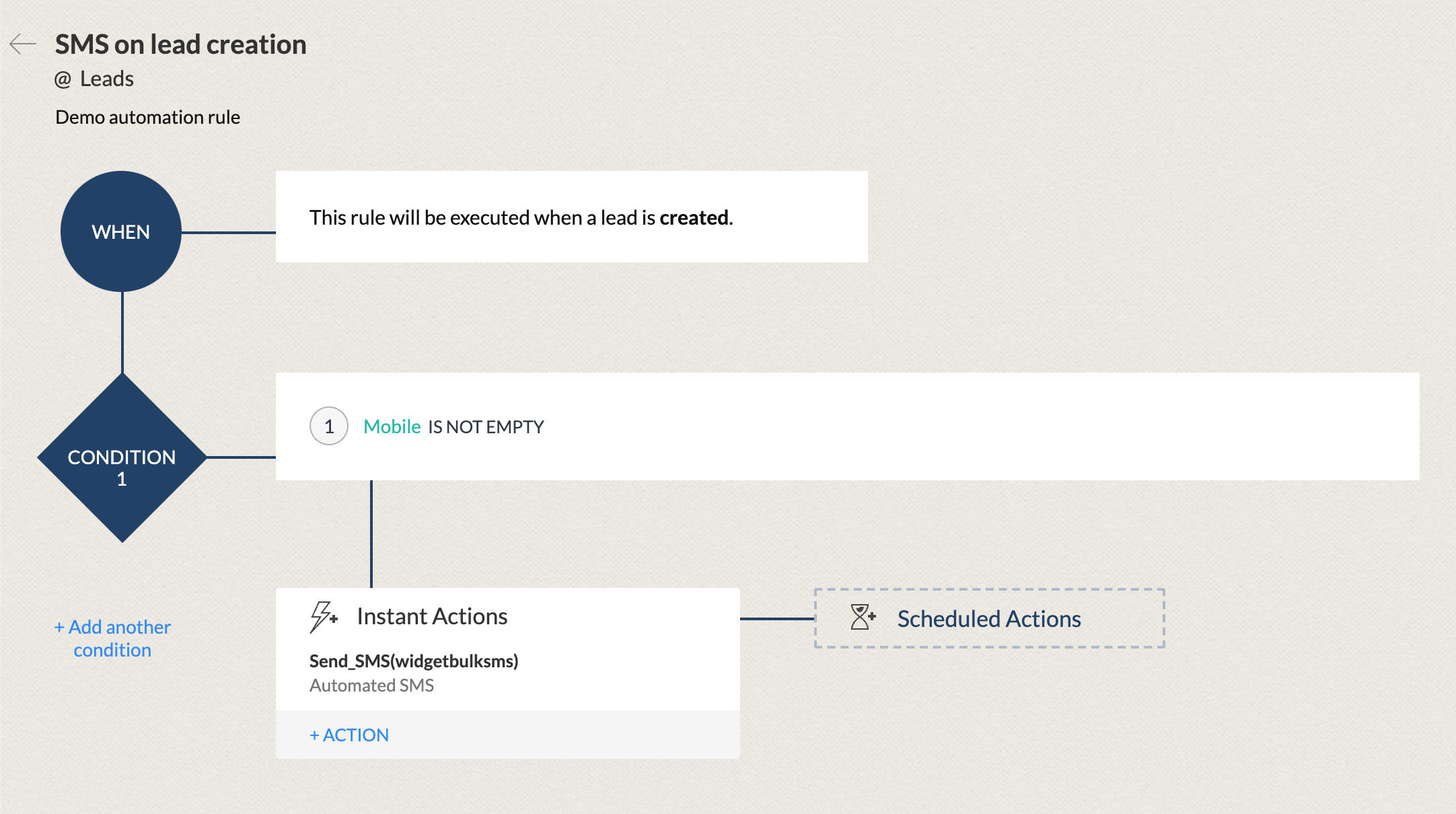
All setup and ready to go!
Should you have any questions please contact our support team with your account name and be sure to include Zoho Automation in the subject line and we'll be happy to assist.
Formatting numbers
Please be sure to format your numbers correctly.
US example
16501790371
06501790371
6501790371
UK example
447882894886
07882894886
Need more?
Log in to the Integration Gateway to send bulk messages to any of your Zoho campaigns now.